
Stock movement gets hard to trust
When warehouse work lives in paper notes, spreadsheets, memory, and messages, teams lose track of what was received, picked, packed, returned, or dispatched.
WMSync helps growing businesses manage warehouse work, stock movement, dispatch, returns, and proof from one practical WMS.
Your warehouse should not run on paper, memory, and repeated capture.
WMSync by PvPower

Every movement
One record.
Paper notes, spreadsheets, WhatsApp messages, filing cabinets, and memory all become hiding places. When stock movement is unclear, orders, dispatch, account checks, and return decisions slow down.
WMSync keeps warehouse work tied to a searchable record so the business can answer with facts.

When warehouse work lives in paper notes, spreadsheets, memory, and messages, teams lose track of what was received, picked, packed, returned, or dispatched.
Warehouse and accounts teams should not have to retype the same customer, item, invoice, and stock details into separate systems just to keep work moving.
Picking, packing, account checks, payment release, and dispatch decisions become risky when the warehouse cannot see the operational record in one place.
Return and credit decisions are cleaner when teams can review what moved out, what came back, who handled it, and which accounting record it belongs to.
WMSync uses approved accounting data where supported, captures evidence when stock moves, and keeps the full warehouse record searchable for your team.
The point is simple: find the record, see what happened, and make the next decision faster.

WMSync Android is the mobile companion app for WMSync. Warehouse, dispatch, counter, and driver teams use it to see assigned work, capture proof, collect signatures, add photos and notes, and send the completed record back to WMSync.
Google Play listing is being prepared
Coming soonDriver app screenshots
Teams can open assigned work, check quantities, capture photos, collect sign-off, and record returns from the Android app.
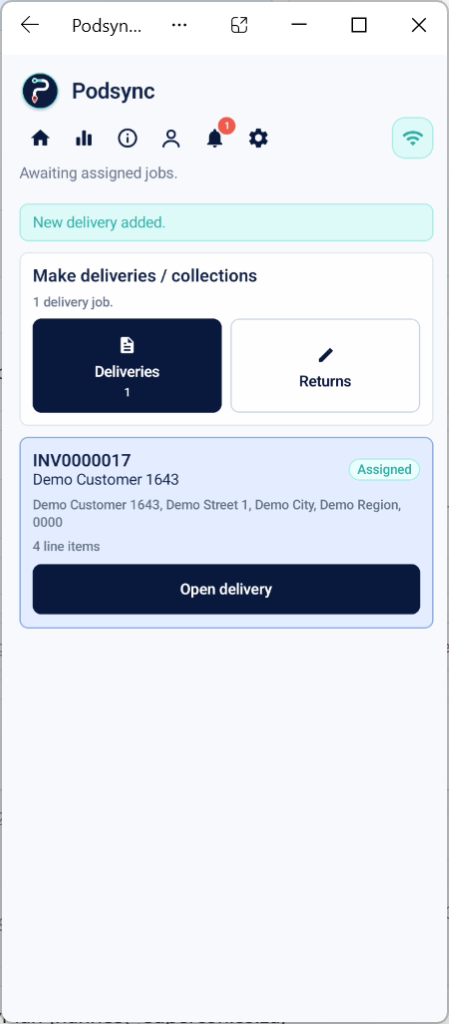
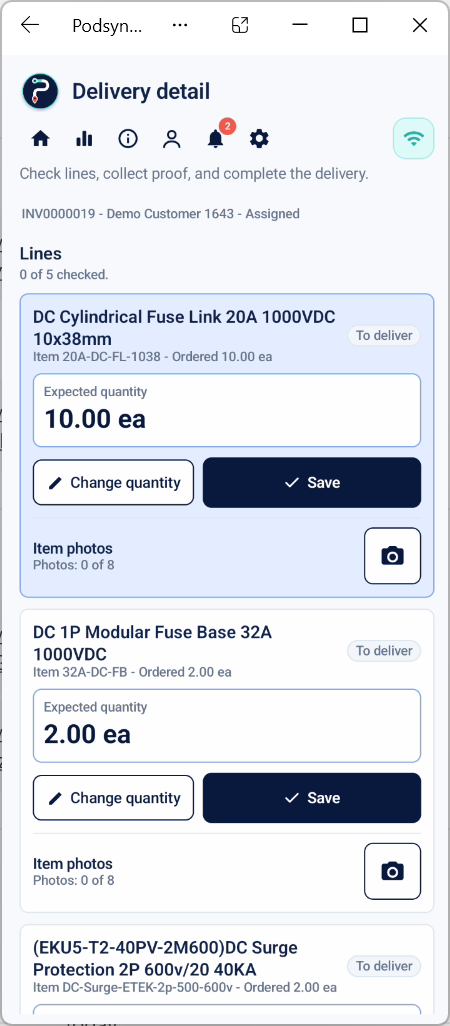
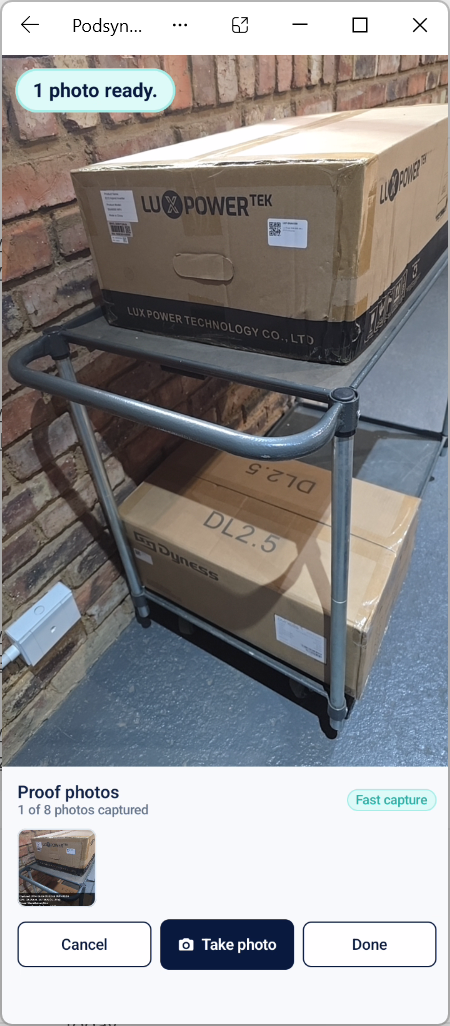
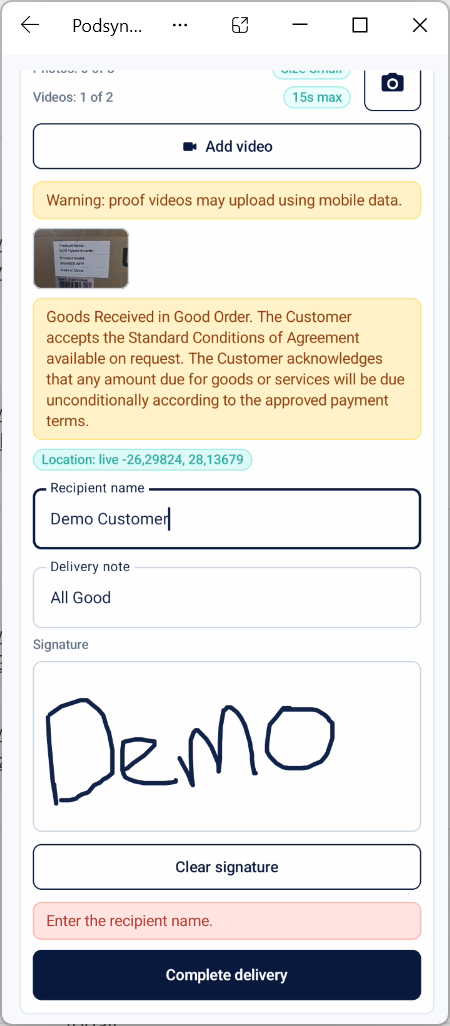
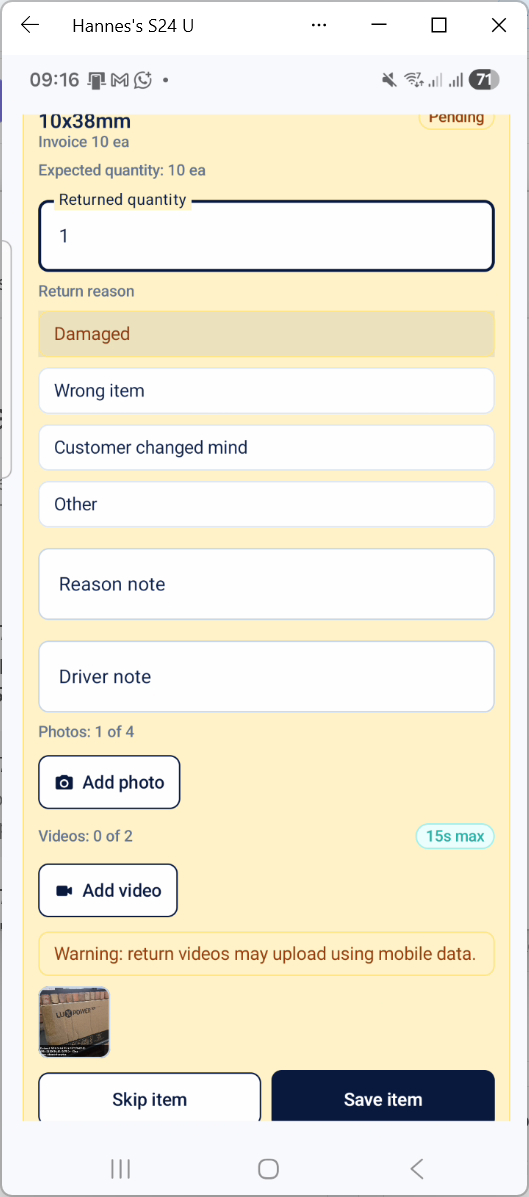
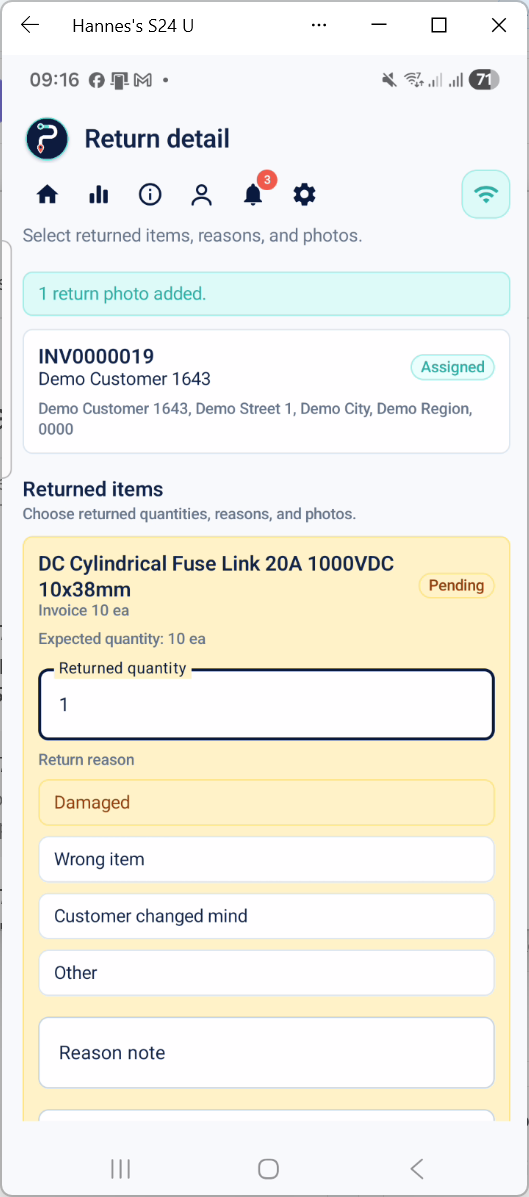
Office teams can open active deliveries, check completed proof, review return details, and see signatures, photos, maps, quantities, and notes without searching through paperwork.
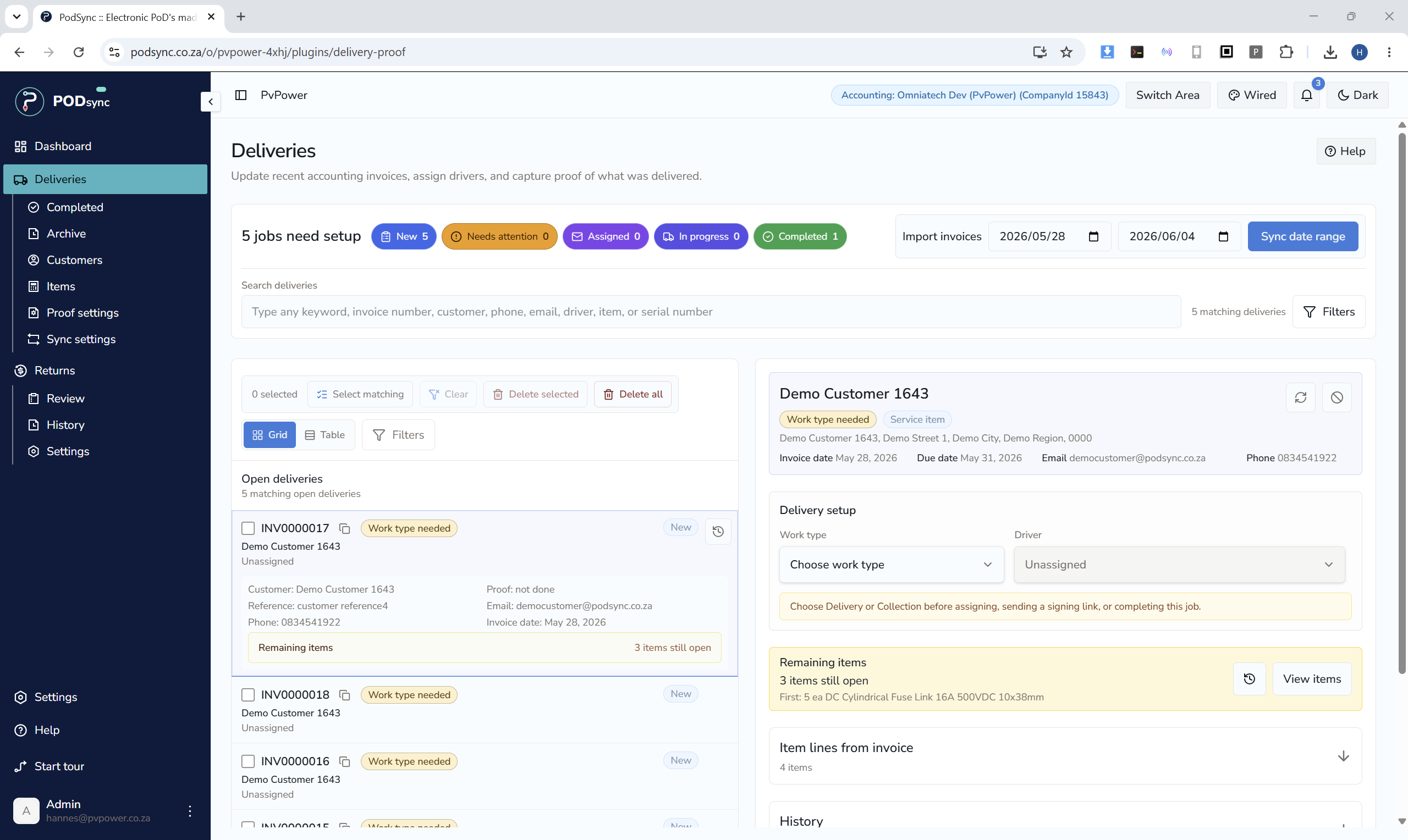
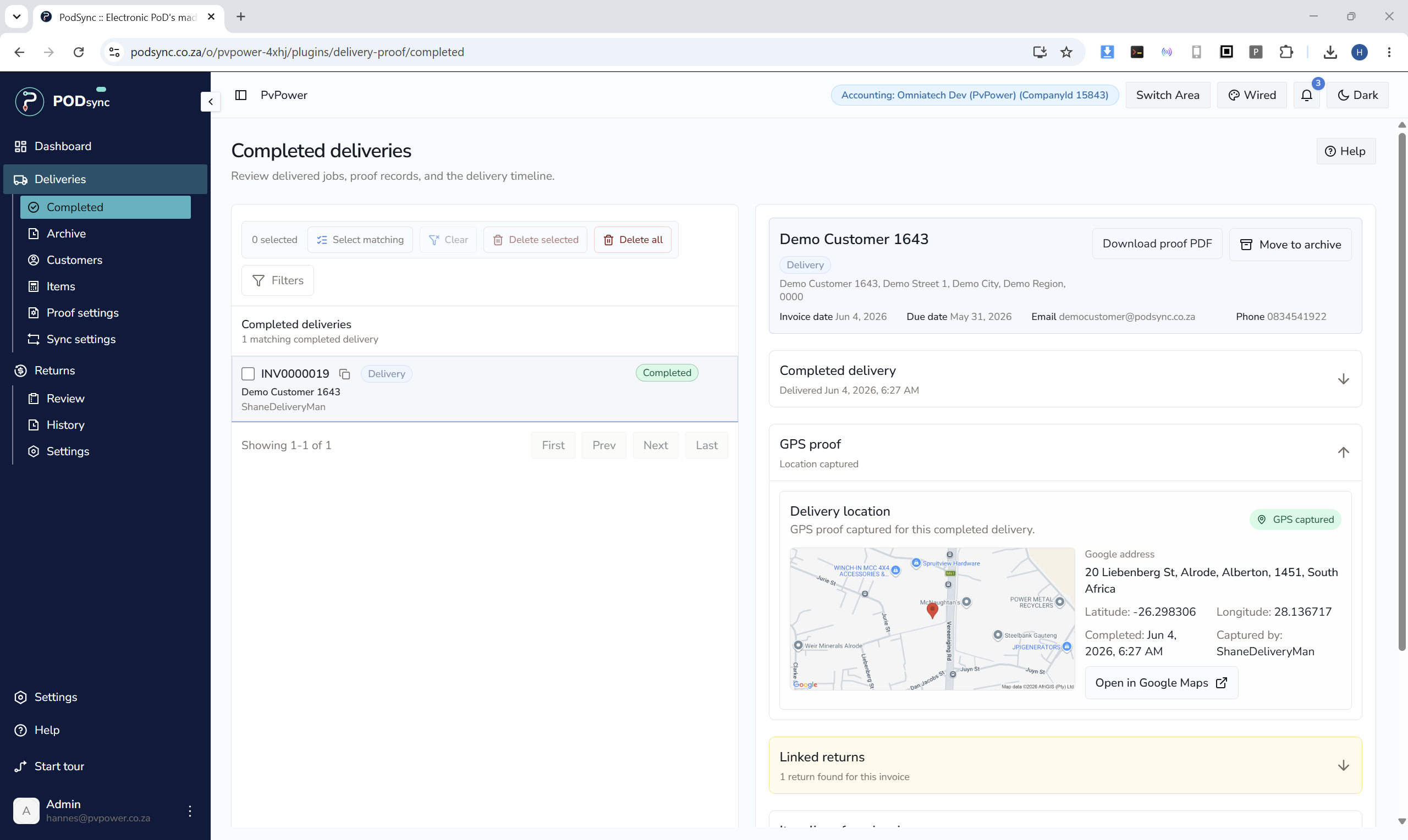
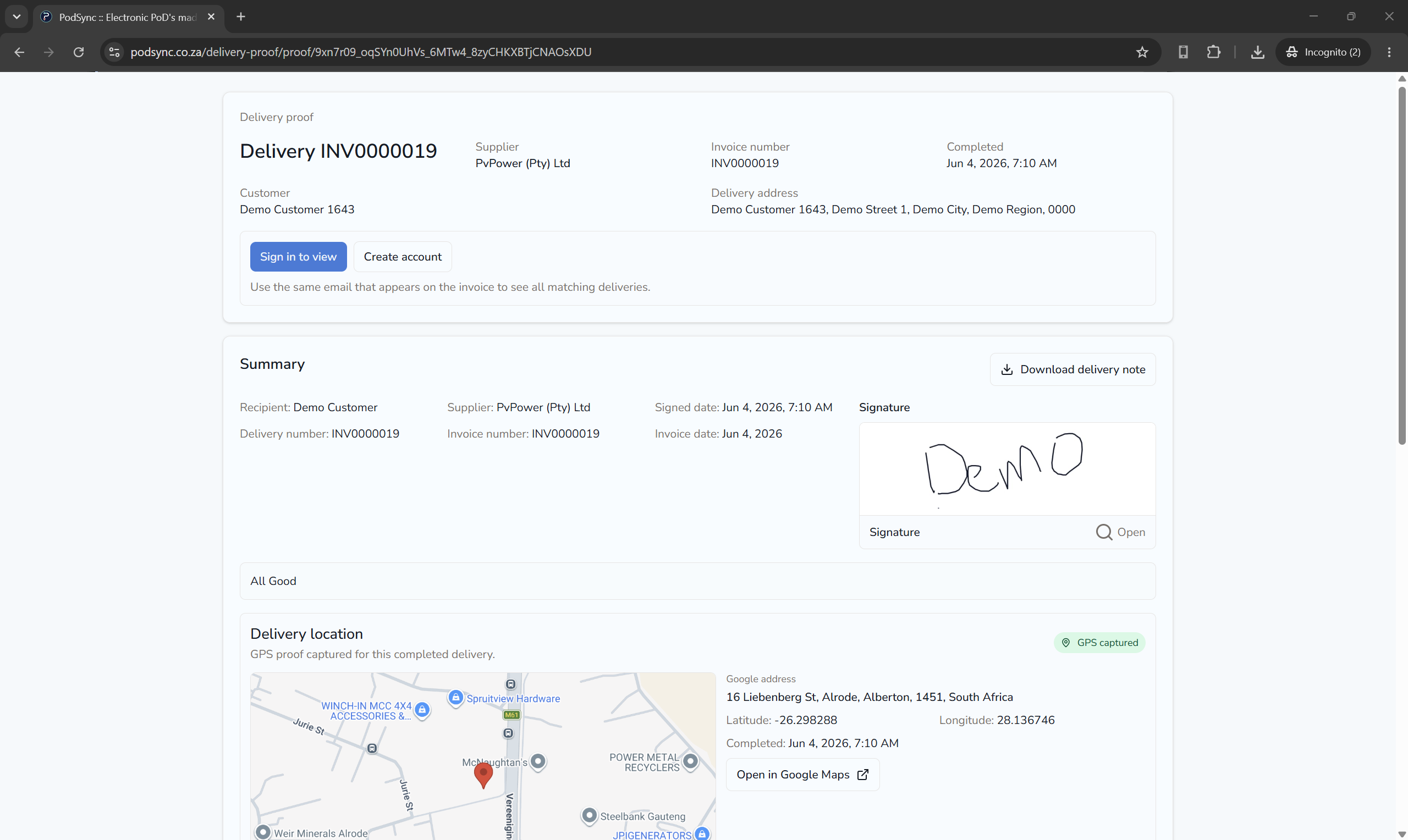
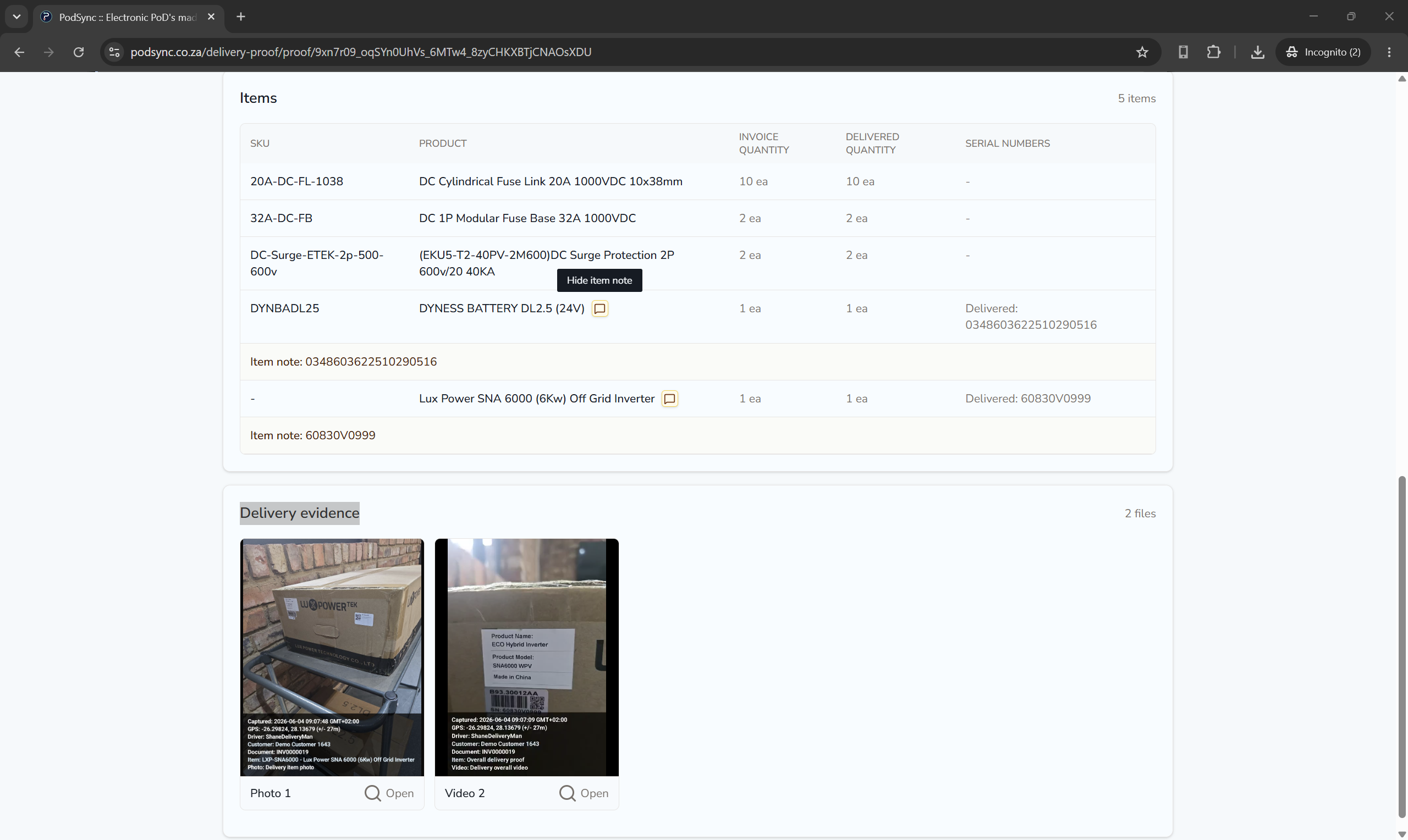
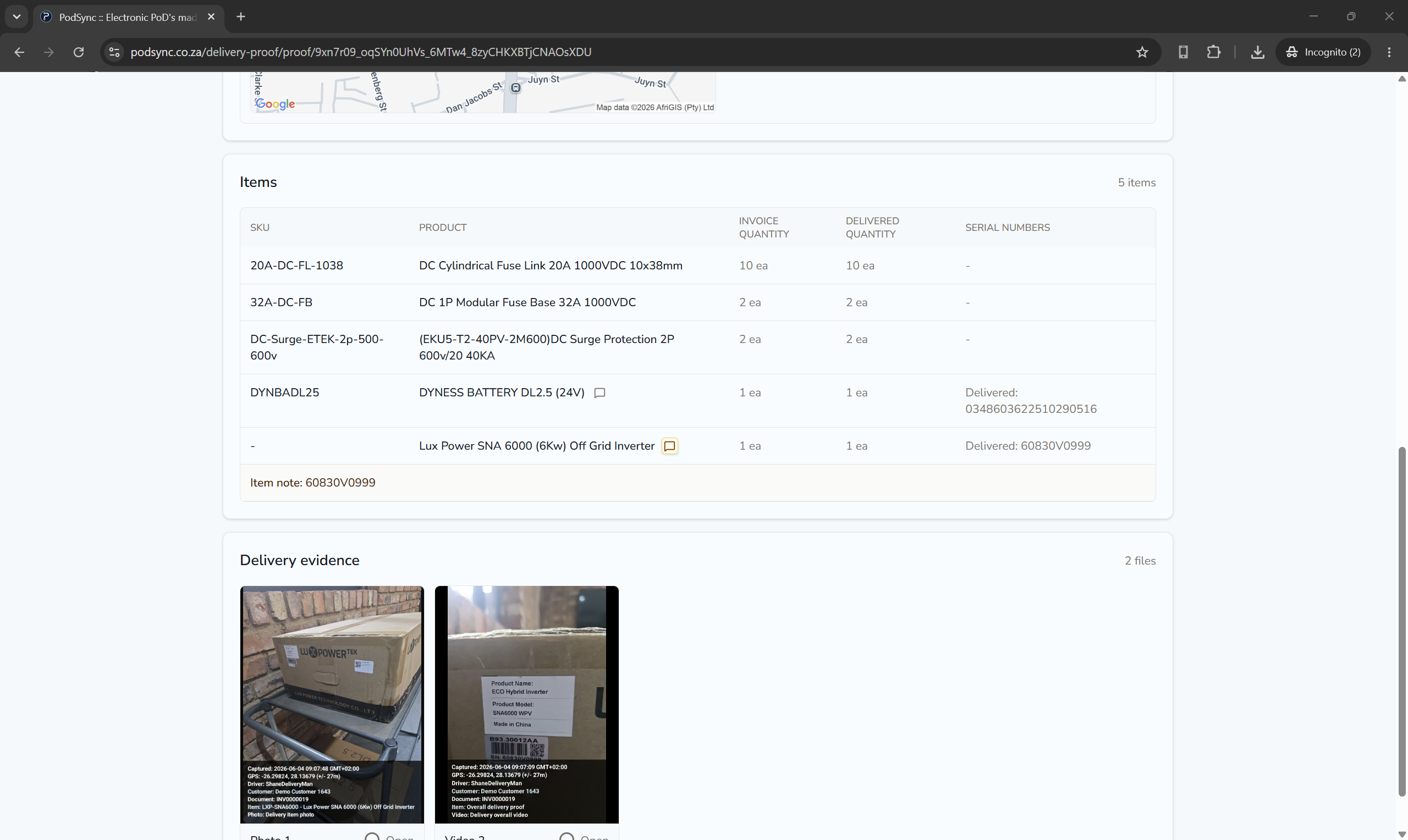
WMSync helps businesses manage warehouse records with searchable proof, accounting context, dispatch control, returns, and practical mobile workflows.
WMSync is developed by PvPower, a company focused on practical operational software for real warehouse and business workflows.
Find warehouse records by customer, document, item, status, user, date, or workflow stage.
Give operations, accounts, sales, and managers answers without digging through paper or spreadsheets.
Keep quantities, photos, timestamps, notes, checks, and supporting evidence linked to the warehouse task.
Warehouse activity becomes a business record, not loose paperwork.
Use captured checks to support receiving, picking, packing, dispatch, payment release, account release, and returns.
Your team can show what happened instead of relying on memory.
Review returned items, photos, notes, quantities, serial numbers where available, and the original movement record.
Make credit and replacement decisions from evidence instead of unsupported claims.
WMSync connects Accounting with Operations so stock, counter sales, courier parcels, collections, returns, and account orders can be checked, approved, moved, and recorded.
Connect Accounting with Operations so stock is released only after payment is checked or the account process is approved.
Protects owners, accounts, dispatch, and warehouse teams from goods leaving before the release decision is clear.
See payment releaseUse one-time release codes on deliveries and collections so staff know the handover is going to the right person.
Helps reduce wrong-recipient disputes and gives drivers a simple yes-or-no handover check.
See release codesCapture waybill details, packed-box proof, and dispatcher confirmation before the courier parcel is sealed.
Helps protect dispatch teams when a customer later questions what was packed into the box.
See courier proofTreat Cash Sales, Counter Sales, Web Sales, and other generic accounting customers as shared accounts while still recording the real recipient.
Keeps everyday counter and cash-sale work searchable by the person who actually received the goods.
See shared accountsLet account customers move forward only after balance, credit limit, and unallocated-payment checks are reviewed.
Helps accounts and managers stop over-limit stock movement before value leaves the business.
See account controlWMSync can keep normal line-item proof photos and also let staff upload additional evidence photos from the Android phone gallery during customer sign-off. That gives warehouse, dispatch, counter, return, and delivery teams one proof pack for the customer and source record.

Invoice line
Line item proof
Completed tap photo captured during proof completion.
Additional evidence
Broken-tap photo uploaded from the Android phone gallery.
Invoice line
Line item proof
Completed installation photo captured against the invoice line.
Additional evidence
Supporting site photo uploaded from the phone gallery.
Invoice line
Line item proof
Finished cupboard photo captured against the invoice line.
Additional evidence
Supporting installation photo uploaded during customer sign-off.
Invoice line
Line item proof
Completed repair photo captured during proof completion.
Additional evidence
Site photo, notes, time/date, and customer signature kept together.
Get warehouse control without starting with an expensive enterprise WMS project.
Keep receiving, picking, packing, dispatch, and return work easier to see and easier to review.
Use accounting-system data where supported without turning warehouse work into repeated manual capture.
Capture work at the point where stock is handled, packed, checked, or released.
Give customers clearer answers when orders, releases, returns, and proof are questioned.
WMSync can use customer, item, invoice, and document data from approved accounting integrations where supported.
That keeps warehouse work focused on the record, not duplicate admin capture.
Use approved accounting data where supported
Prepare warehouse-ready records from customers, documents, and items
Keep warehouse activity linked to the source record
Stay focused on stock movement, release control, proof, and returns
Use approved accounting data where supported to prepare warehouse-ready records from customer, document, and item details.
Warehouse teams capture quantities, photos, timestamps, notes, checks, and supporting evidence where supported in the Android app.
Find records by customer, item, document, user, date, or status, then review dispatch, release, return, or credit decisions from the same evidence.

Teams can review warehouse movement, dispatch, and return evidence before customer, replacement, or credit decisions.
Start simple
Try WMSync for free and give your team warehouse evidence that is captured, organized, and easy to find.